

Are gaming chairs good for your back? Yes—but only if you follow best practices. Like all ergonomic seating, gaming chairs are designed to support neutral sitting postures, which align the spine and reduce strain. Improper usage, however, can make even a well-designed gaming chair counterproductive.
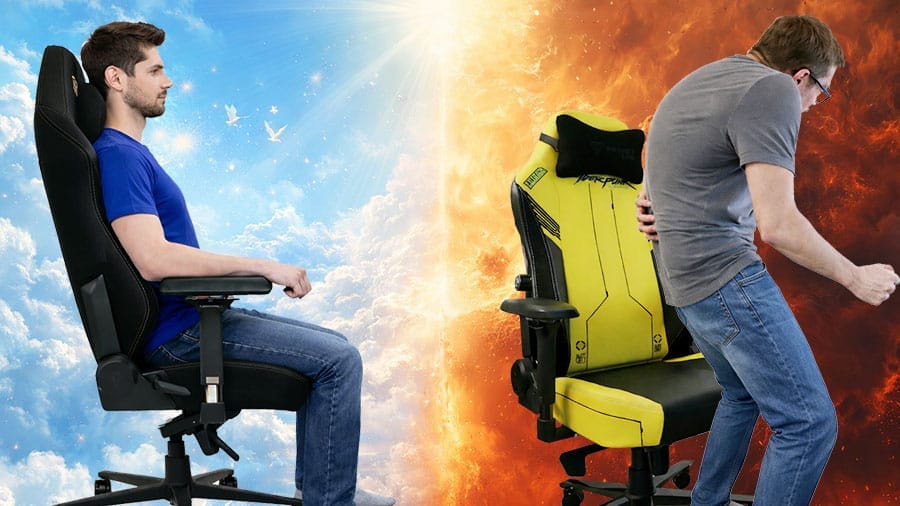
Beyond subjective debates about gaming chair pros and cons, objective biomechanical evidence exists: gaming chairs are scientifically validated for back support.
Why Gaming Chairs Are Objectively Good For The Back
Although no single authority defines “ergonomic seating,” decades of ergonomic research—alongside institutional standards and biomechanical studies—converge toward a consistent principle.
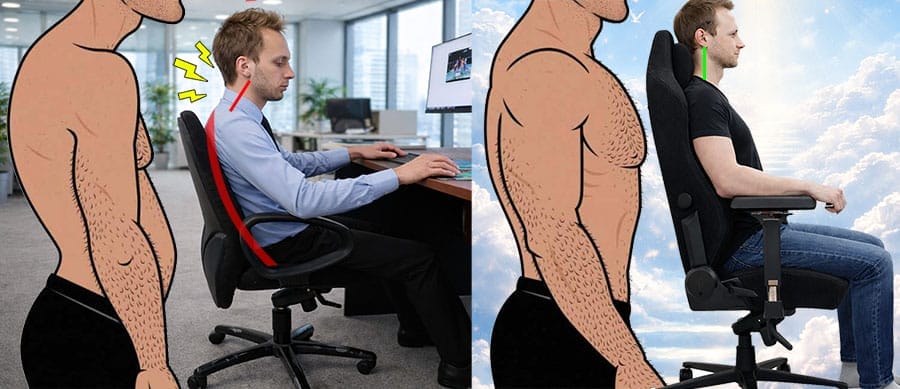
According to BIFMA, OSHA, and the Handbook of Human Factors and Ergonomics, chairs qualify as “ergonomic” when they include three adjustable features: lumbar support, armrests, and recline.
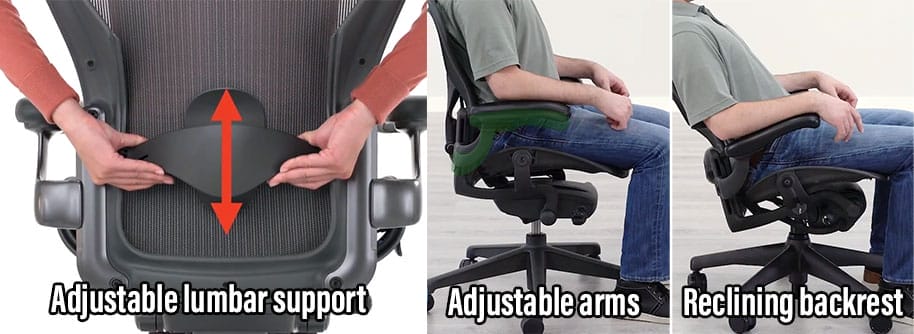
In both ergonomic office and gaming chairs, these features exist to enable neutral body postures. In practice, office chairs tend to enforce stricter neutral postures, while gaming chairs allow greater seated flexibility.
Importantly, both chair types share the same limitations. In both cases, effective use depends on four factors:
- Neutral posture: reduces muscle strain and fatigue.
- Movement breaks: prevent stiffness, improve circulation, and reduce static muscle loading.
- Back strength: a strong back and core is needed to hold the torso upright against gravity.
- Healthy habits: proper sleep, nutrition, and exercise make the body more resilient.
Miss any one, and the chair can become part of the problem, rather than the solution.
Gaming Chairs Good For The Back If:
A gaming chair improves back health only when used correctly within a broader wellness framework. Here are the four essential factors:
1. You Sit In Neutral Postures
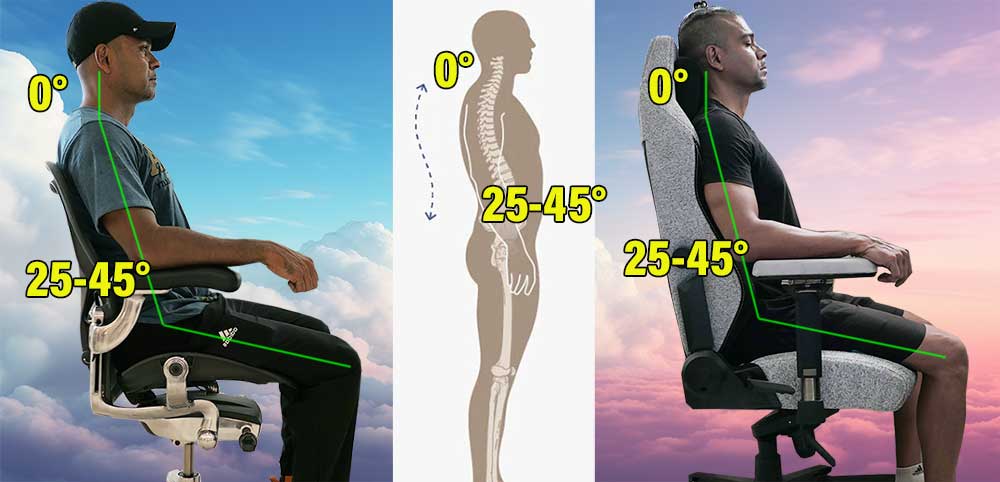
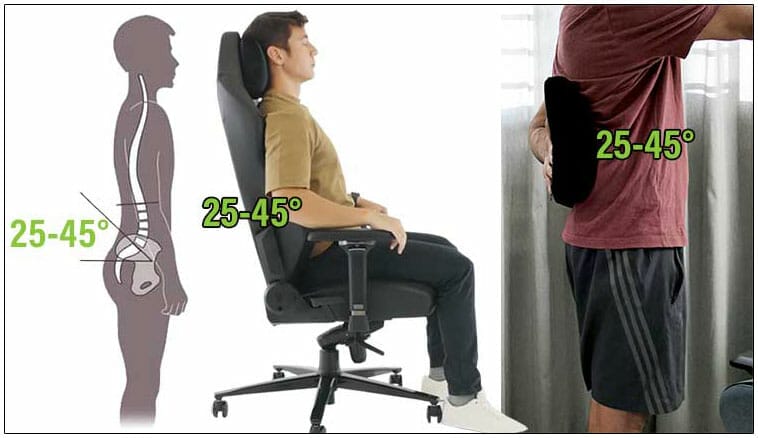
Neutral sitting postures are the foundation of ergonomic seating. They replicate healthy standing alignment: a balanced neck (~0° tilt) and a preserved lower back curve (~25–45° lumbar lordosis).
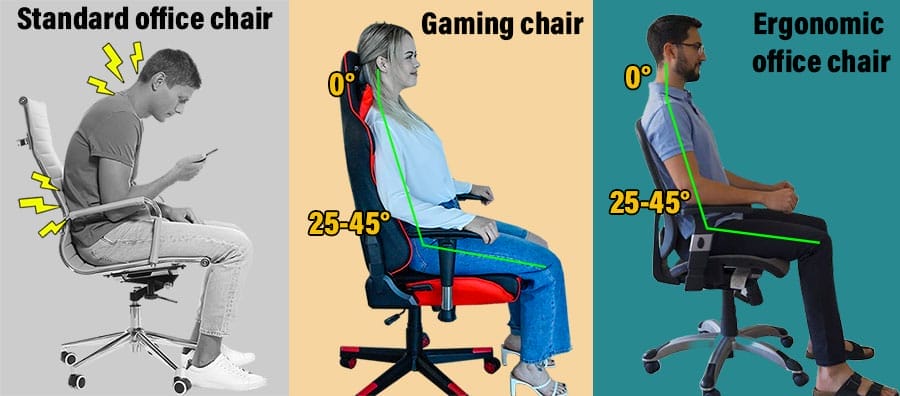
Gaming chairs support neutral postures through three adjustable features:
- Lumbar support: Preserves the natural 25–45° lower back curve.
- Reclining backrest: A 100–130° recline reduces spinal disc pressure.
- Adjustable armrests: Support the shoulders and reduce load on the spine.
Without this support, back muscles must hold the torso upright against gravity. Once muscles tire, the lower back curve flattens, rounding the upper spine into a slouch.
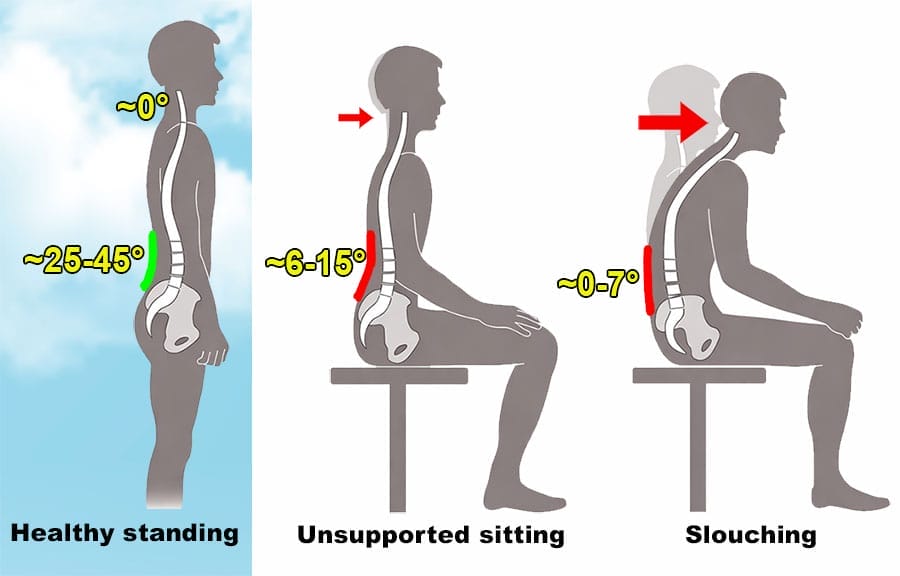
In a gaming chair, the lumbar support maintains your lower back curve, the armrests provide extra bracing, and the adjustable backrest lets you customize your support angle.
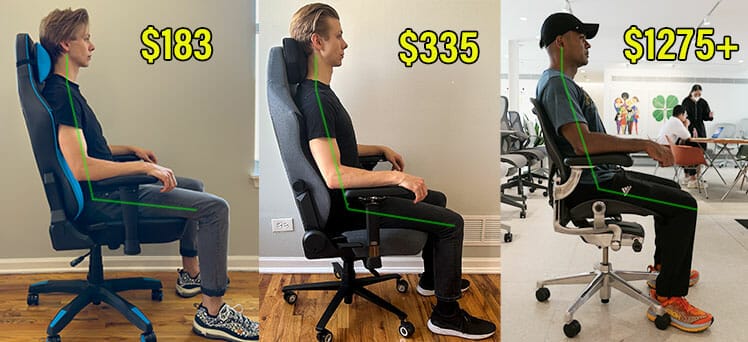
Combined, this configuration mitigates gravity’s pull while helping your spine maintain healthy neutral alignment.
Step-by-Step: How to Sit With Neutral Posture in A Gaming Chair
2. You Take Frequent Movement Breaks
No chair—regardless of quality—can offset prolonged static sitting. The human body isn’t designed for extended immobility. Even in perfect neutral postures, sitting rigidly causes muscle strain and reduced circulation.
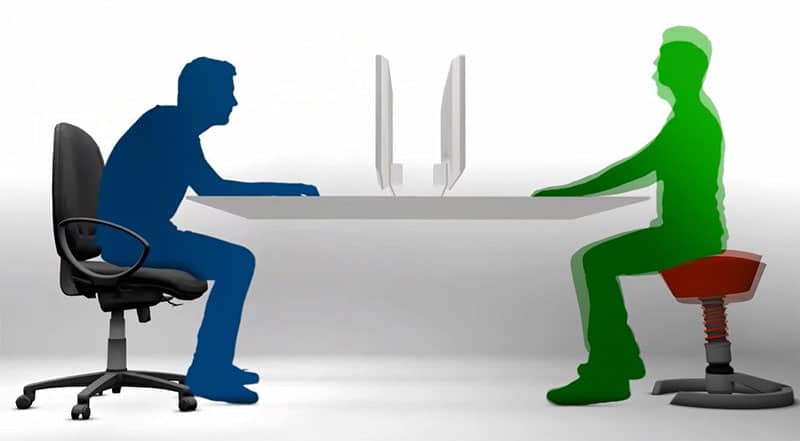
Movement Is The Best Back Pain Treatment
Recent research confirms what esports professionals have practiced for years: movement beats medical intervention for lower back pain.
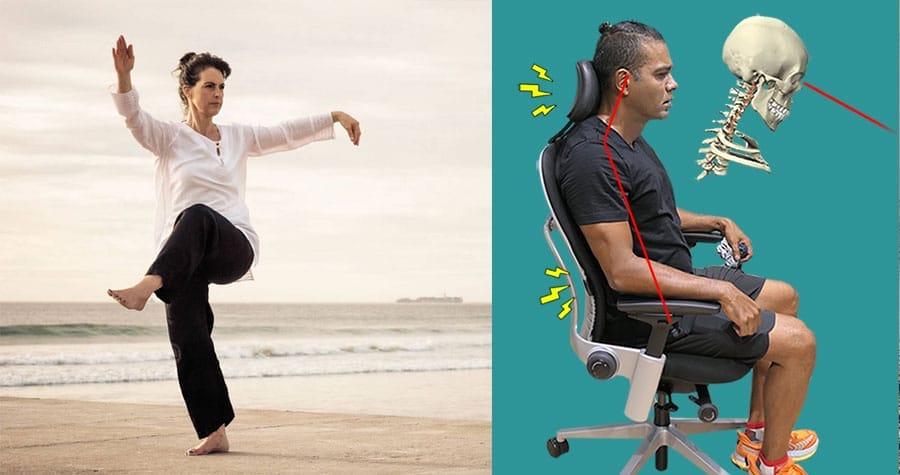
A 2024 study in The Lancet found that a progressive walking program reduced lower back pain recurrence by 28% compared to control groups(2).

Similarly, a 2025 study in BMJ Evidence-Based Medicine found that most doctor-prescribed treatments for lower back pain are largely ineffective in the long term(3).
Practical Movement Strategies
- Standing breaks: Stand every 20–30 minutes, even briefly.
- Walking breaks: Take short walks throughout the day to boost circulation.
- Dynamic sitting: Shift positions, adjust your recline, and avoid locking into one posture.
- Stretching: Regular stretches keep muscles flexible and reduce tension.
A gaming chair’s reclining backrest supports dynamic sitting by making position changes easy. However, your legs remain the most effective tool for ensuring movement.
Learn more: 2025 Desk Work Performance Trends
3. You Have Adequate Back Strength
Regardless of how much you spend on a chair, neutral sitting postures require core and back strength to maintain. Without adequate strength, posture is likely to degrade rapidly.
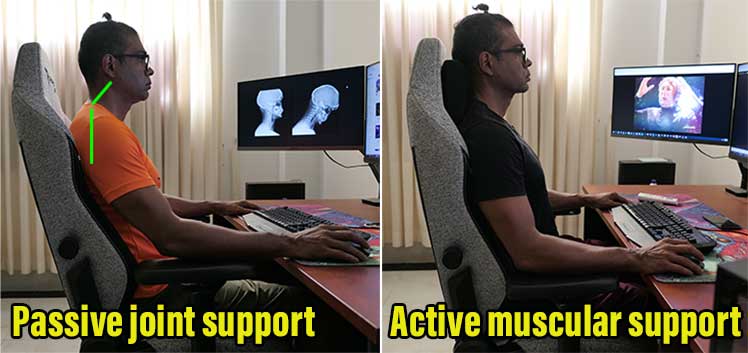
Esports Doctors Prioritize Strength Over Chairs
Dr. Jordan Tsai (has worked with Cloud9, TSM, Evil Geniuses, etc), advises ChairsFX readers that a good chair is the least important factor for healthy desk work. Instead, “A regular range of motion exercises, strengthening, and stretching are all critical.”
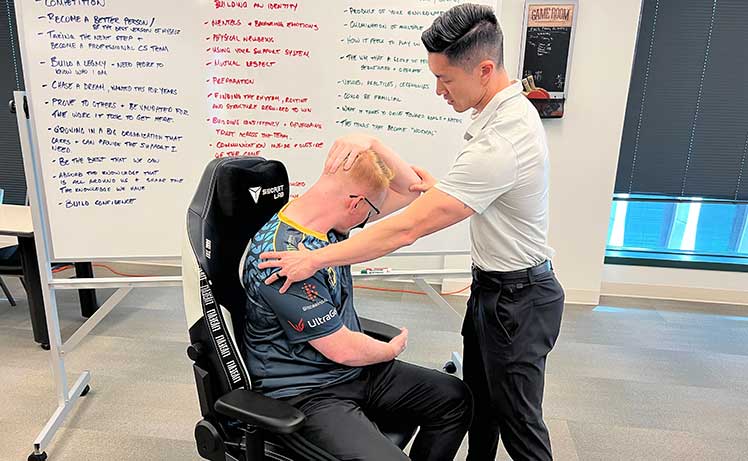
Dr. William Duncan, who works with both esports pros and traditional athletes, agrees:
Building Back Strength
A 2025 study in Frontiers in Public Health found that exercise is one of the most effective treatments for chronic lower back pain(4). Effective exercises include:
- Pull-ups: Build upper back and core strength.
- Dead hangs: Decompress the spine and improve grip strength.
- Hanging leg raises: Strengthen the core and hip flexors.
- Planks: Develop core stability for spinal support.

Stronger back muscles make neutral sitting feel effortless rather than forced. Over time, good posture becomes automatic.
4. You Maintain Healthy Lifestyle Habits
An ergonomic chair exists within a larger system. Sleep, nutrition, and stress management all affect how your body responds to sitting and whether you can maintain good posture throughout the day.

Lifestyle Beats Medical Intervention
A 2025 study in JAMA Network Open found that healthy lifestyle care—combining exercise, nutrition, sleep, and stress management—was more effective than guideline-based medical care for treating chronic lower back pain(5).

Top esports teams have long understood this principle. They employ nutritionists, mental coaches, and physical therapists to optimize their players’ lifestyle habits. The belief is simple: healthy, rested players perform better.
Essential Lifestyle Factors
- Sleep: 7–9 hours of quality sleep allows muscles to recover and repair.
- Nutrition: A balanced diet reduces inflammation and supports tissue health.
- Hydration: Proper hydration maintains spinal disc health and muscle function.
- Stress management: Chronic stress increases muscle tension and pain sensitivity.
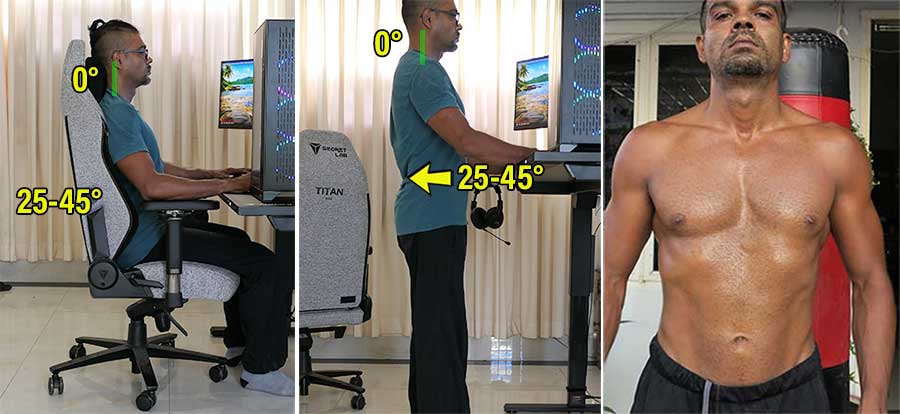
When you combine neutral sitting with healthy lifestyle habits, the chair becomes a supportive tool rather than a standalone solution.
Gaming Chairs Bad For The Back If:
Even with the right chair, improper usage undermines potential benefits. Here are the most common mistakes:
You Use the Wrong Chair Size
If your gaming chair is too small or too large for your body, maintaining neutral postures may become impossible.
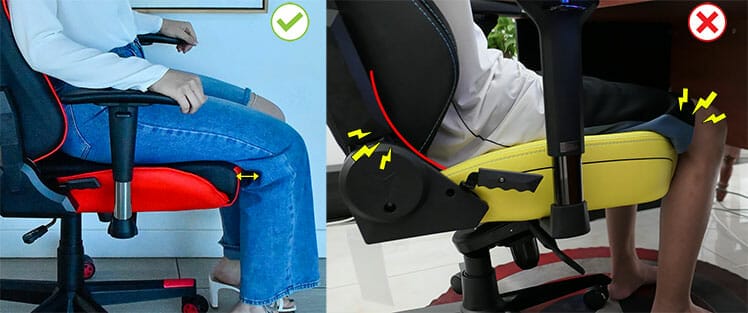
Specifically, if the seat is too deep for your legs, it will curl your hips forward, preventing them from pressing into the backrest to gain proper support.
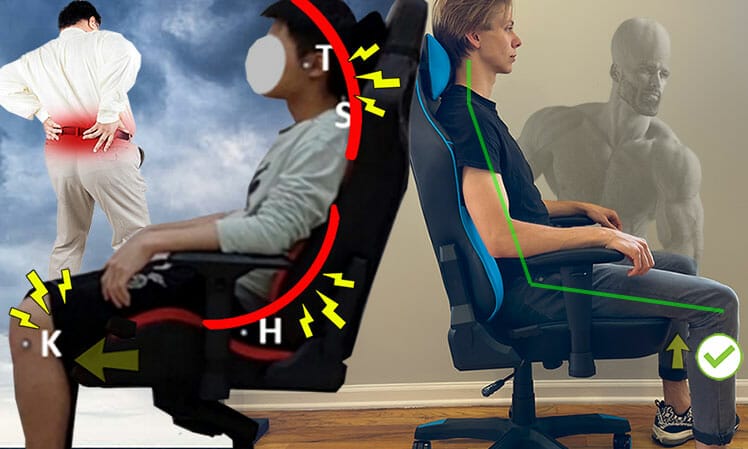
If the seat is too deep, other misconfigurations are also likely: lumbar support won’t align correctly, and armrests may not reach the ideal height. Learn more:
Sizing Guide: What Size Gaming Chair Should I Choose?
You Don’t Adjust Your Chair Properly
This widely accepted benchmark(6) serves as a solid encapsulation of the ideal gaming chair configuration:
Here are two of the most common gaming chair misconfigurations:
Improper Backrest Recline
Most gaming chairs have generous reclines ranging from ~90–160°. However, based on the benchmarks, a ~100–110° recline angle works best at supporting long periods of upright sitting.
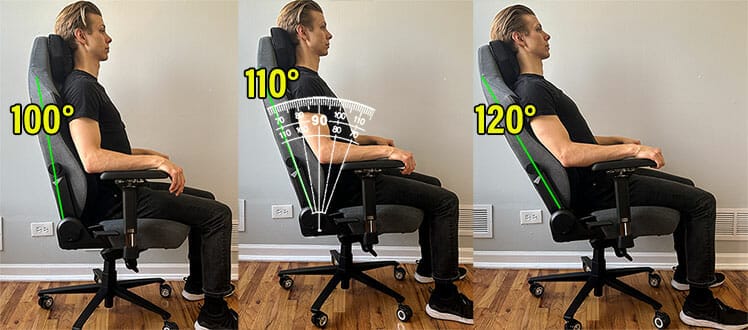
A steep ~100° recline replicates the angles of a crisp neutral posture. However, the steepness of this angle forces back muscles to work harder at holding the torso upright. Without strong back muscles, holding that posture for long periods may be too difficult.
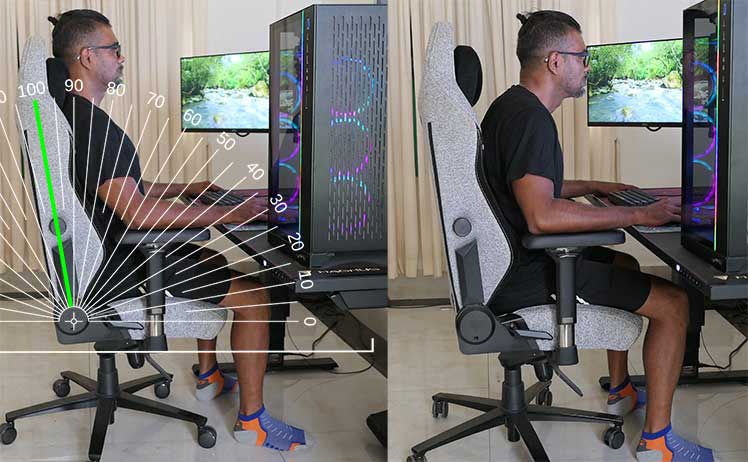
In contrast, a more forgiving ~110° recline lets the chair absorb your bodyweight more than your back muscles. For passive lounging or watching movies, use a ~120° recline.
Lumbar Support Too High or Too Low
Sitting without support flattens the lower back curve, which promotes rounding of the upper spine. In contrast, mild pressure applied to the lower back reflexively straightens the upper spine.
Aim for lumbar support around 4 cm deep, adjusted slightly above the beltline. With the backrest recline set to ~100–110°, this should press your support into the target area.
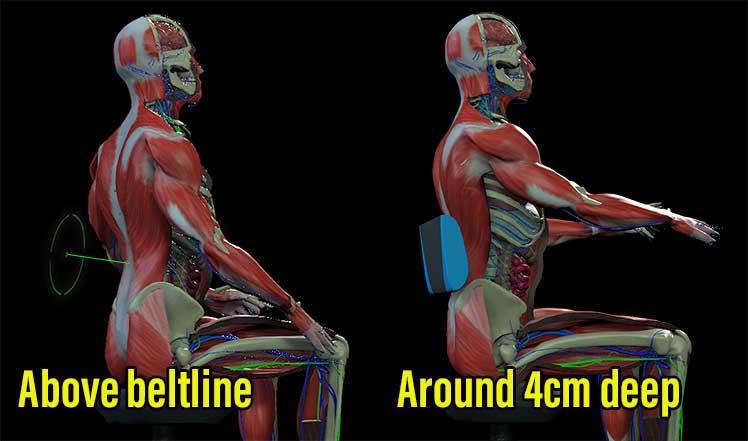
Play around with this benchmark until you find your sweet spot. Once you find it, you’ll be able to apply it to any chair with adjustable lumbar support.
You Ignore Movement & Strength Training
A gaming chair cannot overcome sedentary behavior or weak postural muscles. Users who sit for hours without breaks, avoid exercise, and neglect strength training will experience back problems regardless of chair quality.
The chair is one component of a larger system. Movement, strength, and lifestyle habits determine long-term outcomes.
Conclusion: Are Gaming Chairs Good For Your Back?
Yes, gaming chairs can be good for your back—but only when used correctly within a comprehensive wellness framework:
- Neutral sitting postures: Proper setup and configuration to maintain spinal alignment.
- Frequent movement breaks: Regular standing, walking, and position changes.
- Adequate back strength: Core and postural muscles strong enough to maintain good posture.
- Healthy lifestyle habits: Quality sleep, proper nutrition, and stress management.
If you ignore any of these factors, even the most expensive chair can become ineffective—or even contribute to back pain and fatigue problems.
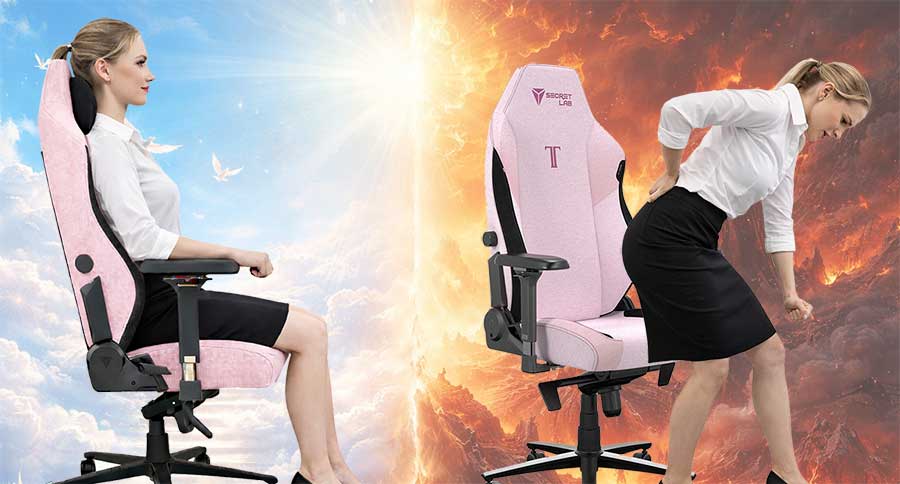
In contrast, when all four elements align, gaming chairs can absolutely deliver meaningful back health benefits.
Related: How to Fix Text Neck: Reprogramming Muscle Memory in a Gaming Chair
Footnotes
- Kaja Kastelic, et al. ‘Sitting and low back disorders: an overview of the most commonly suggested harmful mechanisms’. Collegium Antropologicum 42(1):73-79, March 2018. Read abstract, (accessed 4 Jan. 2026).
- Natasha C Pocovi, PhD, et al. ‘Effectiveness and cost-effectiveness of an individualised, progressive walking and education intervention for the prevention of low back pain recurrence in Australia’. The Lancet, Volume 404, Issue 10488, P134-144, July 2024. https://www.thelancet.com/journals/lancet/article/PIIS0140-6736(24)00755-4/fulltext, (accessed 4 Jan. 2026).
- Aidan G Cashin, et al. ‘Analgesic effects of non-surgical and non-interventional treatments for low back pain’. BMJ Evidence-Based Medicine, March 18, 2025. https://ebm.bmj.com/content/30/4/222.info, (accessed 4 Jan. 2026).
- Ke Zhao, et al. ‘Exercise prescription for improving chronic low back pain in adults: a network meta-analysis’. Frontiers in Public Health, Volume 13, May 2025. DOI: 10.3389/fpubh.2025.1512450, (accessed 4 Jan. 2026).
- Emma Mudd, PhD, et al. ‘Healthy Lifestyle Care vs Guideline-Based Care for Low Back Pain’. JAMA Network Open, Volume 1, No. 1, Jan. 2025. DOI: 10.1001/jamanetworkopen.2024.53807, (accessed 4 Jan. 2026).
- Jennifer Pynt, Martin G Mackey, ‘Seeking the Optimal Posture of the Seated Lumbar Spine’. Physiotherapy Theory and Practice 17:5, 2001, https://www.researchgate.net/publication/224029048_Seeking_the_Optimal_Posture_of_the_Seated_Lumbar_Spine, (accessed 4 Jan. 2026).
